

This page explains the logic behind billing changes. For step-by-step instructions on updating units in the app, see Subscriptions in the Billing Workspace section.
What is a billing change?
A billing change is anything that happens to a subscription between renewals that affects the amount owed. The most common trigger is a unit update: a customer adding or removing seats, licences, or usage mid-cycle. When a billing change occurs, Saasybill calculates the financial impact and creates the appropriate document in Xero automatically. No manual invoicing is required.What triggers a billing change
The primary trigger is a unit update on an active subscription. This covers:- Increasing the number of units (customer grows)
- Decreasing the number of units (customer downsizes)
Billing outcomes
The plan type, direction of the change, and proration settings determine what Saasybill creates in Xero.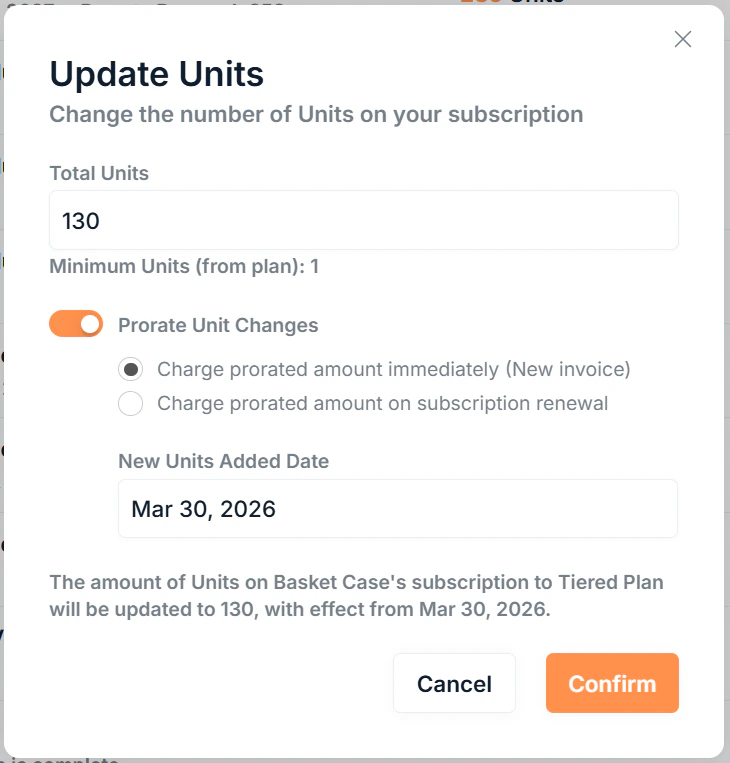
All plan types
Units increase → Invoice
A prorated invoice is created in Xero for the additional amount owed from the effective date to the next renewal. Requires proration to be enabled.
Units decrease → No document
No immediate billing document is created. The new unit count takes effect at the next renewal.
Volume plans
Volume pricing applies a single per-unit rate to all units based on the total quantity, so crossing a tier threshold can actually reduce the total amount even when units go up.Amount increases → Invoice
When a unit change results in a higher total amount, a prorated invoice is created for the difference. Requires proration to be enabled.
Unit increase reduces amount → Credit note
When a unit increase crosses into a cheaper tier and the total amount decreases, a prorated credit note is created for the difference. Proration is always enabled and cannot be disabled.
Unit decrease reduces amount → No document
No immediate billing document is created. The new unit count takes effect at the next renewal.
How the prorated amount is calculated
The prorated amount is based on the difference in subscription value between the old and new unit counts, for the portion of the billing period remaining from the effective date to the next renewal.Proration behaviour
If you are making a change within the paid units, such as a unit decrease, the option to prorate is not available.
Choosing Next renewal is useful when you want to honour a commitment to a customer for the rest of the current period without generating any adjustment documents.
Credit notes and credit balance
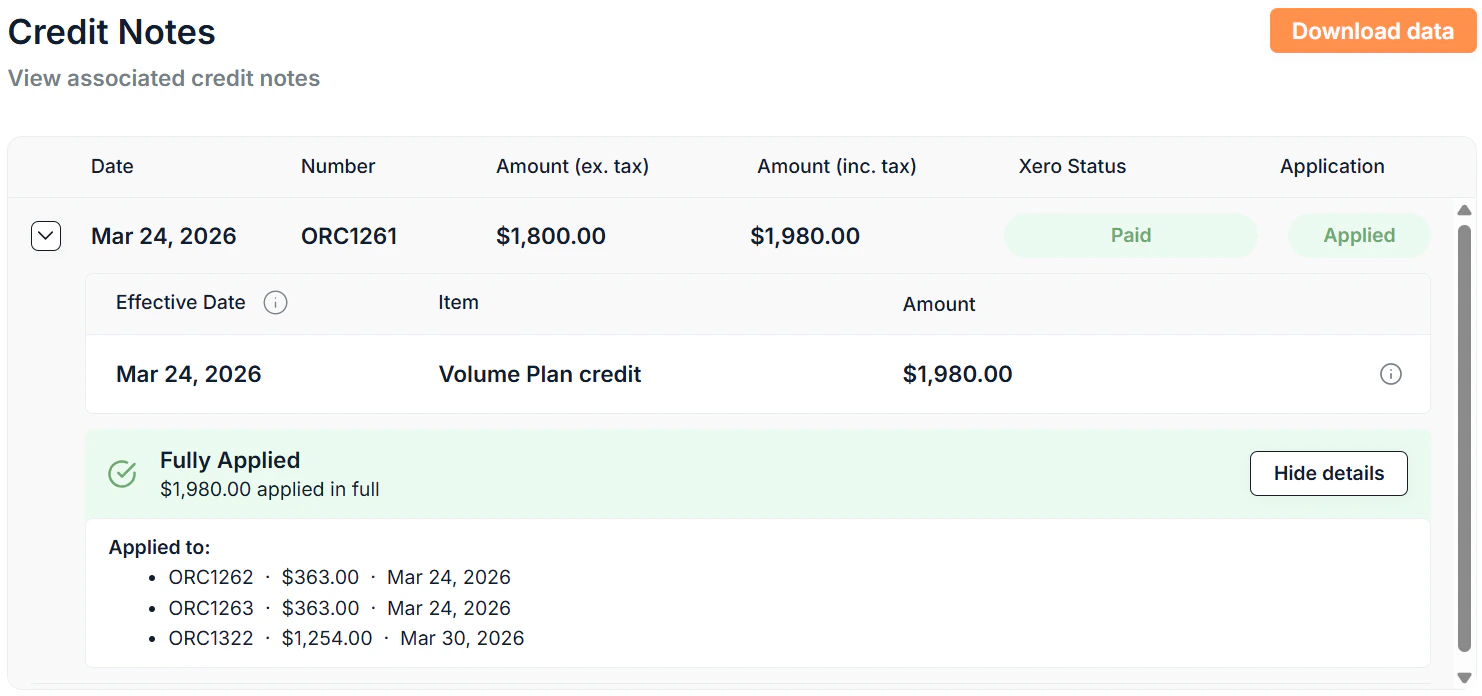
Credit notes may require an allocation action in Xero before the balance is applied. If a credit note needs attention, Saasybill will surface an alert on the subscription details page.
Adjusting credit notes in Xero may lead to inaccurate amounts in Saasybill. It is recommended to allow Saasybill to generate and apply credit notes automatically. If you must allocate a credit note in Xero, apply it to an invoice on the same subscription.
The minimum invoice amount
Saasybill applies a minimum invoice amount threshold before moving an invoice to Awaiting Approval status in Xero. If the prorated amount falls below this threshold, the invoice remains in Draft. This threshold can be set at the company level and overridden on individual subscriptions.Upcoming renewal behaviour
If the subscription renewal is within one month at the time of the unit change, Saasybill prompts you to decide whether the updated unit count should be added to the upcoming renewal invoice or kept as a separate prorated charge. This avoids creating two separate invoices close together.This only applies to annual subscriptions.
What does not trigger a billing change
The following do not generate a billing document mid-cycle:- Updating invoice due date or minimum invoice amount overrides
- Changing a plan’s Xero account mappings
- Ending a subscription (no refund or credit is given for ending a subscription before the end of the current period)